Setting up a dedicated charging station for your devices can simplify daily routines and keep your gadgets ready to go. Whether you have smartphones, tablets, laptops, or other rechargeable electronics, an organized charging station helps reduce clutter and improves convenience. In this guide, we’ll walk you through everything you need to know to create a practical and efficient charging station at home.
Why Set Up a Charging Station?
Many households have multiple devices that need regular charging. Without a specific place to plug them in, cables get tangled, chargers go missing, and devices may be left uncharged when you need them most. A charging station brings all chargers and devices into one spot, making it easier to:
– Keep devices organized and powered
– Avoid cluttered countertops or tables
– Manage cables with ease
– Ensure devices are fully charged overnight or between uses
Choosing the Right Location
Consider Access and Power Sources
Pick a spot in your home where devices are frequently used or stored. Common locations include:
– Kitchen counters
– Home office desks
– Nightstands or bedside tables
– Living room shelves or side tables
Make sure the area has easy access to electrical outlets. If outlets are scarce, consider using a power strip with surge protection to safely expand your options.
Think About Safety and Ventilation
Choose a dry area away from water sources or heat-producing appliances. Charging devices generate some heat, so allow enough ventilation around your station to prevent overheating.
Gathering the Necessary Supplies
Before setting up your station, gather these essentials:
– Charging hubs or multi-port USB chargers: These allow you to plug in several devices at once without needing many separate adapters.
– Power strips or extension cords: Useful if the outlet is not close to your chosen spot.
– Cable organizers: Clips, sleeves, or boxes help keep cords untangled and neat.
– Device stands or holders: These keep devices upright and easy to see while charging.
– Labeling tools: Small labels or tags make it easier to identify which cable or charger belongs to which device.
Setting Up Your Charging Station Step-by-Step
Step 1: Declutter the Area
Clear the space completely to start fresh. Remove any unnecessary items to create a clean, open environment for your charging setup.
Step 2: Arrange Power Sources
Plug in your power strip or multi-port charger. Position it so that cords will reach devices comfortably without crossing walkways or causing a tripping hazard.
Step 3: Organize Your Chargers and Cables
Use cable organizers to group cords together. Velcro straps, twist ties, or cable sleeves can keep cables from tangling. Label each cable if you have multiple devices with similar chargers.
Step 4: Position Device Holders and Charging Pads
Set up stands or charging pads where devices will rest while charging. Choose holders that suit the size and shape of your devices to prevent slipping or damage.
Step 5: Test Your Setup
Plug in your devices one by one to ensure everything charges properly. Check that cables reach comfortably and that the setup remains tidy.
Tips for Maintaining an Efficient Charging Station
– Regularly unplug devices and chargers when not in use to save energy and prolong charger life.
– Keep spare charging cables and adapters stored nearby but out of the way until needed.
– Clean the station regularly to prevent dust buildup, which can affect charging connections.
– Consider wireless charging options if your devices support them for even less cable clutter.
– Use surge protectors to protect devices from power spikes.
Optional Extras to Enhance Your Charging Station
– Built-in USB ports in furniture: Some desks or nightstands come with integrated charging ports.
– Smart plugs or timers: Automate when your charging station powers on or off.
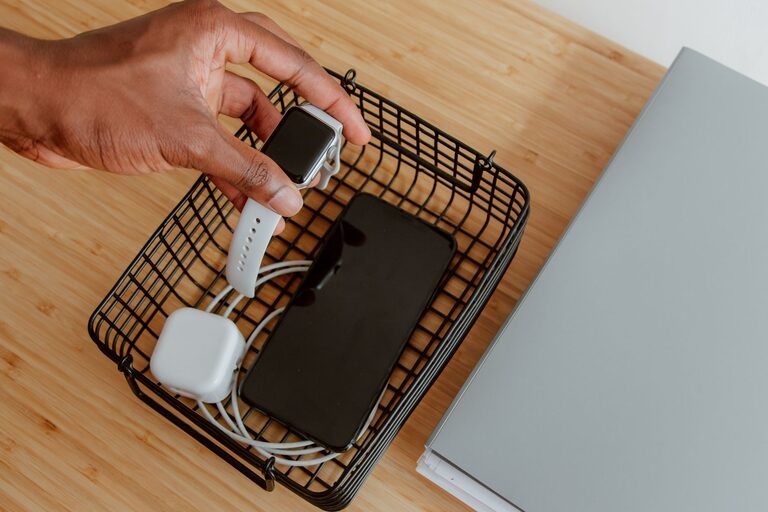
– Decorative baskets or boxes: Hide chargers and cables while maintaining a stylish look.
– Label device spots: Assign and label specific areas for each family member’s devices.
Final Thoughts
Setting up a dedicated charging station is a simple but effective way to keep your devices powered, organized, and ready for use. By choosing the right location, organizing cables, and using the appropriate tools, you can create a charging hub that fits your home and lifestyle. With a little planning and care, you’ll save time and reduce frustration, keeping your tech charging smoothly every day.
About the Author